  • Hoopla logo
  • Browse
  • My Hoopla
  • Log In
Books, videos, and music - all free from your public library!
LoginSign Up

Footer

Hoopla logo, Go to homepage
  • For Patrons
  • For Libraries (opens in new window)
  • For Vendors (opens in new window)
  • Facebook (opens in new window)
  • X (opens in new window)
  • Instagram (opens in new window)
  • YouTube (opens in new window)
  • TikTok (opens in new window)
  • LinkedIn (opens in new window)

Our Company

  • Our Story
  • Get Hoopla for your Library (opens in new window)
  • Get your content on hoopla (opens in new window)
  • Join our team (opens in new window)
  • Accessibility Statement

Our Content

  • Audiobooks
  • Ebooks
  • Movies
  • Television
  • Comics
  • BingePasses
  • Music
  • The Loop Blog

Help

  • Help Center
  • Submit Feedback
  • Facebook (opens in new window)
  • X (opens in new window)
  • Instagram (opens in new window)
  • YouTube (opens in new window)
  • TikTok (opens in new window)
  • LinkedIn (opens in new window)
  • Download on the App Store (opens in new window)
  • Get it on Google Play (opens in new window)
  • Available at Amazon Appstore (opens in new window)
© 2026 Midwest Tape, LLC. All rights reserved. Privacy Policy | Terms of Use
  1. Navigate Home
  2. Ebooks
  3. Autodesk Fusion 360: A Power Guide for Beginners and Intermediate Users

EBOOK

Autodesk Fusion 360: A Power Guide for Beginners and Intermediate Users

2026

CADArtifex
(0)
sign up
Year
2026
Language
English
Publisher
CADArtifex

About

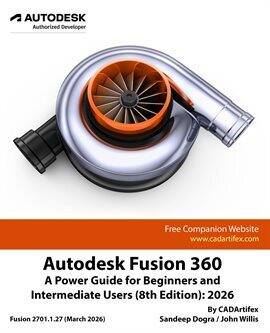
Autodesk Fusion 360: A Power Guide for Beginners and Intermediate Users (8th Edition): 2026 is designed for both instructor-led training and self-paced learning, this textbook is an essential resource for engineers, designers, and students aiming to master 3D mechanical design.

This comprehensive guide spans 14 chapters and 768 pages, covering key Autodesk Fusion workspaces, including DESIGN, ANIMATION, and DRAWING. It provides a structured approach to creating parametric 3D solid components, assemblies, animations, and detailed 2D drawings. Serving as both a valuable learning tool for beginners and an effective teaching aid for instructors.

This edition has been developed using Autodesk Fusion version 2701.1.27 (March 2026) to ensure compatibility with the latest features and enhancements..

What Makes This Book Unique
This book goes beyond explaining tools and commands by emphasizing design principles and real-world applications. It features step-by-step tutorials, practical mechanical design projects, clear explanations of key concepts, and hands-on exercises throughout.

The clear, logically organized chapters make complex concepts easy to understand while building a strong foundation in design principles and software workflows.

Interactive Learning Support
Key tutorial steps are accompanied by QR codes that link to video demonstrations, helping users through challenging stages of the learning process.

This textbook equips learners with the skills, techniques, and confidence required to master Autodesk Fusion.
Related Subjects

  • Drafting & Mechanical Drawing
  • Technology & Engineering
  • Adult Nonfiction
  • Image Processing
  • Computers

Extended Details

  • Edition8th Edition

    Artists

    CADArtifexAuthor
    John WillisAuthor
    Sandeep DograAuthor